
Apps and prototypes
Personal desktop app
A small app for your Mac or Windows computer that does exactly the one thing you need.
- From
- $149
- Delivery
- 5 to 15 business days
- You get
- Finished, ready-to-use work
Overview
What you get and why it works
Sometimes a spreadsheet is not quite enough and big software is far too much. You want a simple app on your own computer that tracks your clients, makes invoices in your format, renames and sorts files, or keeps an eye on stock. No subscription, no account, no learning curve.
We build small, focused desktop apps for Mac and Windows. You tell us what it should do, we agree a clear feature list, and you get an installer you download and run like any other app. Your data stays on your computer unless you choose to sync or export it.
Good fit for Freelancers, small shops, office teams and anyone who keeps doing the same job by hand on their computer.
Packages
Pick a size. Upgrade any time.
Every price below is the full price of that package. Add-ons are optional and only added if you tick them.
Starter
A one-screen utility
$149
- Delivery
- 5 to 7 business days
- Revision rounds
- 2
What's included
- 1 screen with up to 5 features from an agreed list
- 1 platform, Mac or Windows
- Installer (.dmg for Mac, .exe for Windows)
- Data saved on your computer
- Simple app icon
Most popular
Standard
Multi-screen app for Mac and Windows
$349
- Delivery
- 8 to 12 business days
- Revision rounds
- 2
What's included
- Up to 4 screens with up to 12 features
- Mac and Windows
- Installers (.dmg for Mac, .exe or .msi for Windows)
- Local database for your records
- Search, sorting and CSV import
- Light and dark mode
Plus
Sync, export and your branding
$690
- Delivery
- 12 to 15 business days
- Revision rounds
- 3
What's included
- Up to 8 screens with up to 20 features
- Mac and Windows
- Installers (.dmg for Mac, .exe or .msi for Windows)
- Export to PDF and CSV
- Optional sync through a cloud folder you choose
- Custom branding, icon and colors
What is included
- Installers for each platform in your package
- A short user guide
- A written list of every feature included, agreed before work starts
Not included
- Publishing in the Mac App Store or Microsoft Store
- Code signing certificates. Without one, your computer may show a warning on first install. Available as an add-on, with certificate costs passed on at cost
- Online accounts, payments or a server backend (quoted separately)
- Source code, unless you add it
Delivery and revisions
- File formats
- .dmg installer for Mac, .exe or .msi installer for Windows, Short user guide (PDF)
- How you receive it
- By email and in your BabaMake account, where you can download it any time.
- Revisions
- 2 or 3 rounds depending on package. A round is one list of changes to features already agreed. How revisions work
Please read before you order
We agree the exact feature list with you before any payment. Anything not on that list is a new request, quoted first.
BabaMake or DIY with AI?
AI tools are great. Doing it all yourself is the expensive part.
You can absolutely make a logo, a site or product photos with AI tools. Here is what that usually involves, next to what you get from us.
| Topic | Doing it yourself with AI tools | With BabaMake |
|---|---|---|
| Cost | Several monthly subscriptions plus usage credits, and you keep paying while you retry | One clear price for a defined result. Optional extras are listed with their prices |
| Time | Evenings of prompting, regenerating, fixing and comparing results | A short brief from you. A delivery date from us |
| Effort | You are the designer, editor, developer and project manager | Real people do the work and use AI where it actually helps |
| Result | Often close but not quite right, with small flaws you cannot fix easily | Defined deliverables in the right formats. We keep working within your included revisions until it matches the brief |
| Who fixes it | You, or nobody | Us. Revisions are included, and you can always ask for more |
| Who owns it | Depends on each tool's terms | You own the custom work once paid. Third-party licenses are listed |
Ideas
Apps that fit each package
Ten small apps people ask for, and the package each one usually fits. Your feature list decides the final package, and we confirm it before you pay.
- SnapReceipt
- Example of what fits: Starter or Standard
- Add receipts and invoices, sort them by vendor, date and category with your own rules, see a monthly breakdown and export a clean CSV for your accountant.
- See a UI preview
- QuoteForge
- Example of what fits: Standard or Plus
- Quotes and invoices for trades, studios and freelancers: a client address book, a reusable price list, tax and discount math and Draft, Sent and Paid tracking.
- See a UI preview
- ClipShelf
- Example of what fits: Starter or Standard
- Clipboard history, pinned snippets like bank details and addresses, and reply templates with name fields, all in one shortcut window.
- PhotoCrate
- Example of what fits: Starter or Standard
- Batch rename, resize and watermark product photos, and remove hidden location data, with presets for Shopify, Etsy, web and print.
- ShiftDesk
- Example of what fits: Standard or Plus
- A weekly staff rota for cafes, salons and shops, with break and overtime rules, wage cost against your budget, a printable rota and payroll hours export.
- FocusLog
- Example of what fits: Starter or Standard
- A one-click project timer with manual edits, billable rates, a weekly breakdown per client and CSV timesheets.
- LabelMint
- Example of what fits: Starter or Standard
- Design shipping labels, shelf tags and QR or barcode stickers, fill them from a spreadsheet and print a whole batch at once.
- StockBin
- Example of what fits: Standard or Plus
- Stock and parts by bin, quick plus and minus buttons, low stock alerts and supplier reorder sheets filled in for you.
- CleanNote
- Example of what fits: Starter or Standard
- A calm notebook with folders, tags, a quick switcher and a live preview, saved as plain files on your computer.
- RentBook
- Example of what fits: Standard or Plus
- Tenants, lease dates, rent paid and due, renewal and inspection reminders, a repair log per unit and a year-end summary.
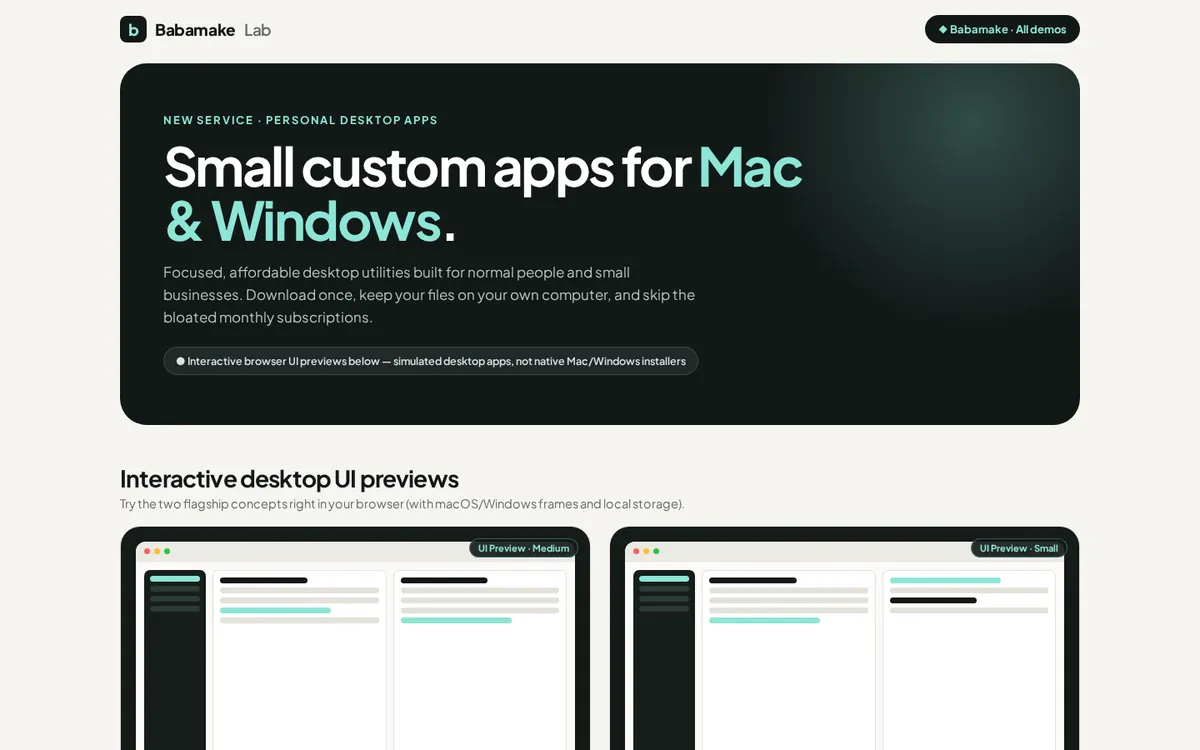
See a sample first
Try a live sample, then order yours.
Browser previews of two small desktop apps: a quote and invoice builder and a receipt organizer. Switch between a Mac and a Windows window frame and click through every screen with sample data.
Examples
Typical projects
A photographer's file sorter
Imports from a memory card, renames by date and client, and files everything into the right folders.
A tailor's order book
Customer measurements, orders and due dates, with a printable order slip.
A bakery's stock list
Ingredients and stock levels with a weekly shopping list exported to PDF.
FAQ
Questions about Personal desktop app
Will it work on my computer?
Mac apps support recent versions of macOS on Apple silicon and Intel. Windows apps support Windows 10 and 11. We confirm your versions before we start.
Why does my computer warn me when I install it?
Apps without a code signing certificate can trigger a warning on first install. It is safe to open, but adding code signing removes the warning.
Where is my data stored?
On your own computer. Plus can optionally sync through a cloud folder you choose, such as iCloud Drive, Dropbox or OneDrive.
Can you put it in the App Store?
Store publishing is not included, because it needs developer accounts and reviews. We can quote it separately.
Do I own what you deliver?
Yes. When you pay for a milestone, you own the custom work made for you in it. Third-party fonts, images and software stay under their own licenses, which we list in your handoff.
How do revisions work?
Each package includes a set number of revision rounds. A round is one list of changes to the work we delivered. New features or a change of direction count as a new request, which we quote first. Need more rounds? Add 2 extra rounds for $15.
When do I pay?
Nothing is charged when you place an order. We confirm the scope, then send a secure payment link. Work starts once it is paid. Bigger projects are split into milestones you approve and pay one at a time.
Ready when you are.
Pick a package above, or tell us what you are trying to do and we will suggest the smallest version worth building.