
AI and automation
Business automation
Stop copying the same data between the same tools every day.
- From
- $149
- Delivery
- 4 to 7 days
- You get
- Finished, ready-to-use work

Overview
What you get and why it works
If someone on your team copies order details into a spreadsheet, sends the same follow-up email five times a day, or renames files by hand, that is a task a machine should do.
We map the task with you, build the automation with standard tools or a small script, and add error handling so it tells you when something goes wrong instead of failing quietly.
Good fit for Small teams with repetitive admin, operations or sales tasks between common business tools.
Packages
Pick a size. Upgrade any time.
Every price below is the full price of that package. Add-ons are optional and only added if you tick them.
Starter
One trigger, one action
$149
- Delivery
- 4 to 7 business days
- Revision rounds
- 1
What's included
- 1 automation (e.g. form to spreadsheet)
- Up to 2 connected tools
- Error notification by email
- Handoff notes
Most popular
Standard
A multi-step workflow
$349
- Delivery
- 7 to 10 business days
- Revision rounds
- 2
What's included
- Up to 5 steps and 4 tools
- Conditional logic and filters
- Error log and retry rules
- Walkthrough video
Pro
A small system of automations
$790
- Delivery
- 10 to 15 business days
- Revision rounds
- 3
What's included
- Up to 4 related automations
- Custom script where tools fall short
- Monitoring summary each week
- Documentation for your team
What is included
- Working automations in your accounts
- Scripts and configuration files
- A diagram of what runs, when, and why
- Instructions for pausing or changing each automation
Not included
- Subscription fees for automation tools (paid to the provider)
- Cleaning up years of messy historical data (quoted separately)
- Automations that move money without a human approval step
- Systems we cannot access through an official API
Delivery and revisions
- File formats
- Automation running in your accounts, Written documentation
- How you receive it
- By email and in your BabaMake account, where you can download it any time.
- Revisions
- 1 to 3 rounds. How revisions work
BabaMake or DIY with AI?
AI tools are great. Doing it all yourself is the expensive part.
You can absolutely make a logo, a site or product photos with AI tools. Here is what that usually involves, next to what you get from us.
| Topic | Doing it yourself with AI tools | With BabaMake |
|---|---|---|
| Cost | Several monthly subscriptions plus usage credits, and you keep paying while you retry | One clear price for a defined result. Optional extras are listed with their prices |
| Time | Evenings of prompting, regenerating, fixing and comparing results | A short brief from you. A delivery date from us |
| Effort | You are the designer, editor, developer and project manager | Real people do the work and use AI where it actually helps |
| Result | Often close but not quite right, with small flaws you cannot fix easily | Defined deliverables in the right formats. We keep working within your included revisions until it matches the brief |
| Who fixes it | You, or nobody | Us. Revisions are included, and you can always ask for more |
| Who owns it | Depends on each tool's terms | You own the custom work once paid. Third-party licenses are listed |
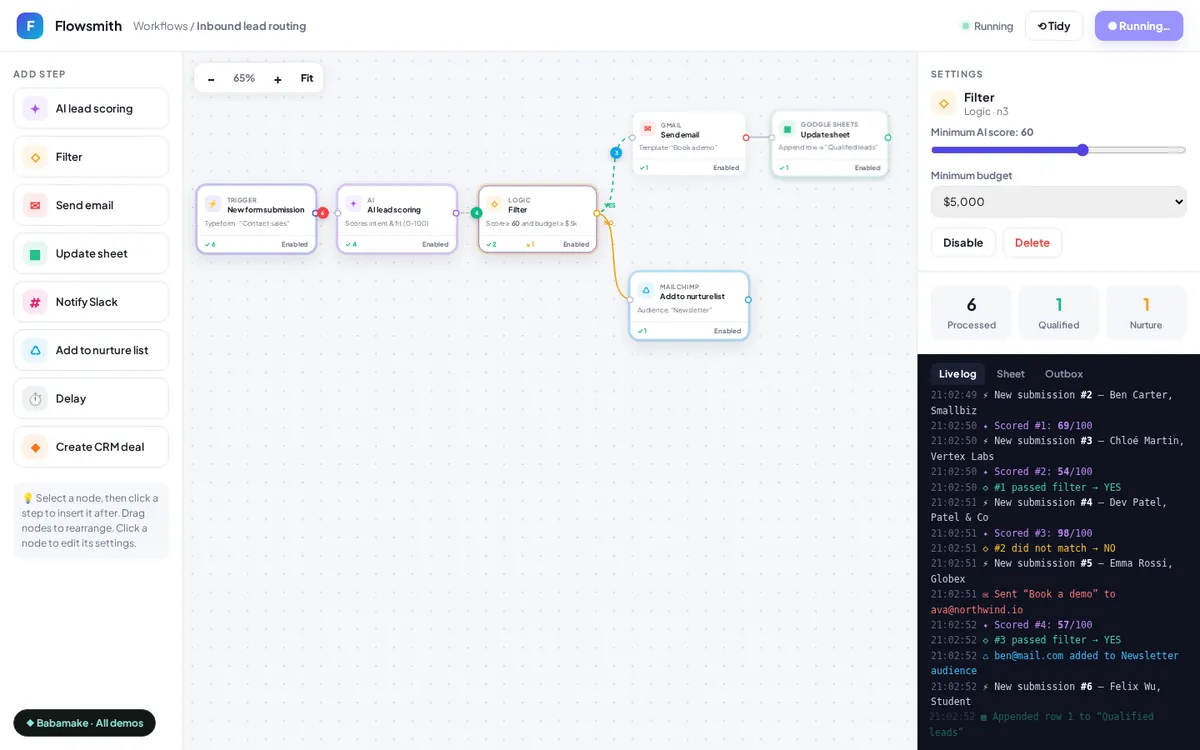
See a sample first
Try a live sample, then order yours.
Build a workflow from a trigger, a filter, an email step and a spreadsheet step, then watch a sample run in the live log.
Examples
Typical projects
Web form to CRM to welcome email
New enquiries land in the CRM, get tagged, and receive a reply within a minute.
Weekly sales summary
Every Monday the team gets totals from the store and the till system in one message.
Invoice filing
Invoices sent to one email address are saved to the right folder and logged in a sheet.
Save with a bundle
Need more than one thing? Bundles cost less.
FAQ
Questions about Business automation
Which tools do you use?
Common automation platforms like Zapier, Make or n8n, plus small scripts when needed. Everything runs in accounts you own.
What if one of my apps changes?
Automations can break when other services change. The error alerts tell you. Fixes are covered by a Care plan or a small Feature upgrade.
Can automation handle payments or refunds?
We can prepare them, but we always keep a human approval step for anything that moves money.
Do I need technical knowledge to run it?
No. The handoff notes explain how to pause and check things in plain language.
Do I own what you deliver?
Yes. When you pay for a milestone, you own the custom work made for you in it. Third-party fonts, images and software stay under their own licenses, which we list in your handoff.
How do revisions work?
Each package includes a set number of revision rounds. A round is one list of changes to the work we delivered. New features or a change of direction count as a new request, which we quote first. Need more rounds? Add 2 extra rounds for $15.
When do I pay?
Nothing is charged when you place an order. We confirm the scope, then send a secure payment link. Work starts once it is paid. Bigger projects are split into milestones you approve and pay one at a time.
Ready when you are.
Pick a package above, or tell us what you are trying to do and we will suggest the smallest version worth building.